Google Ads for Business: A Complete Beginner’s Guide
In today’s competitive digital world, businesses need effective ways to reach potential customers online. One of the most popular methods of online advertising is Google Ads for business. Google Ads allows businesses to promote their products and services when people search for relevant keywords on Google.
Whether you run a small local business, an e-commerce store, a service-based company, or a growing startup, Google Ads can be an important part of a digital marketing strategy. Businesses can use paid search advertising to reach people who are actively looking for specific products or services.
In this beginner-friendly guide, we will explain Google Ads for business, how Google Ads works, its benefits, different types of Google Ads campaigns, keyword targeting, budgeting, and useful tips for creating effective campaigns.
What Is Google Ads?
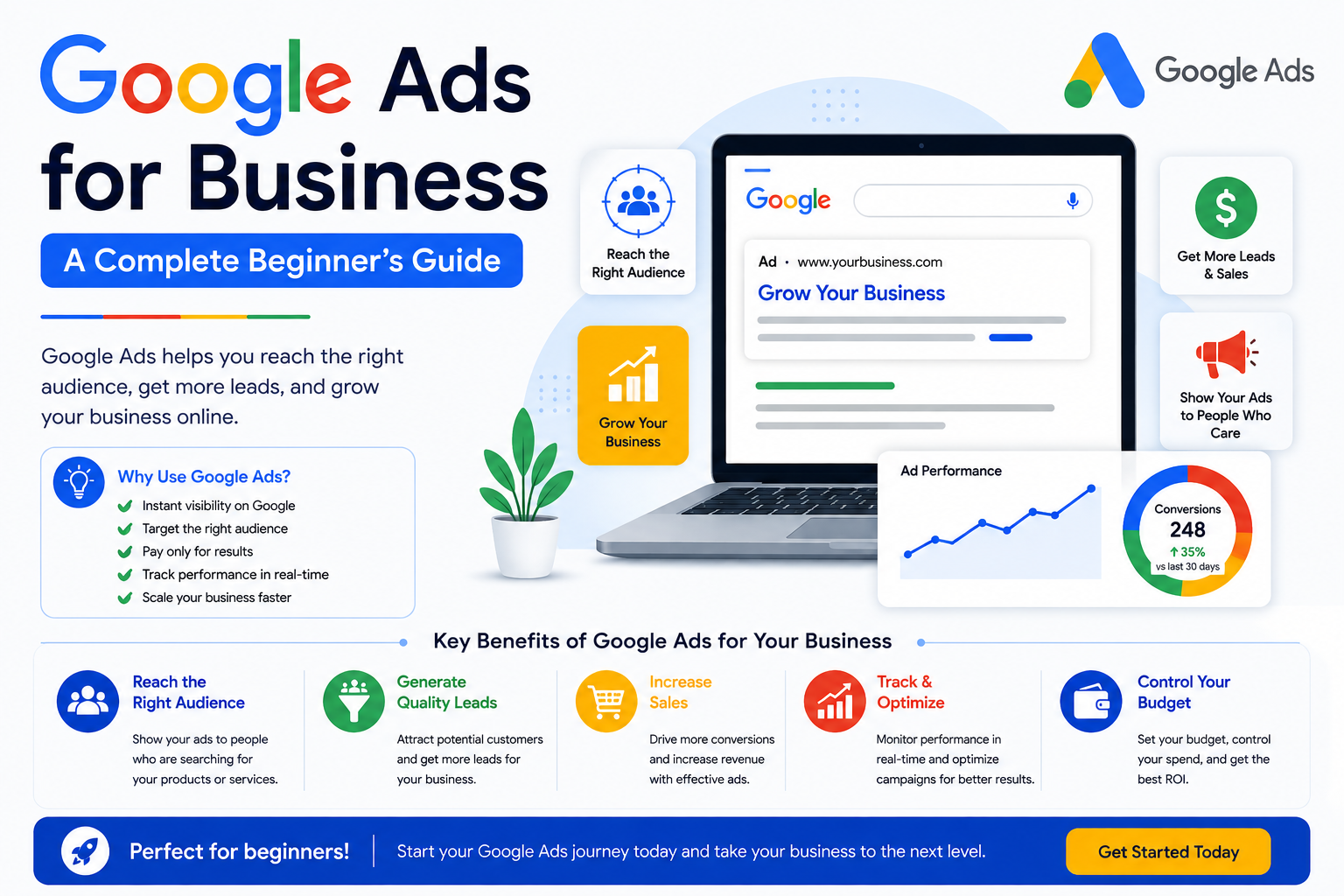
Google Ads is an online advertising platform that allows businesses to display advertisements across Google’s advertising network.
Businesses can create ads based on specific keywords, audiences, locations, interests, and other targeting options.
For example, imagine someone searches:
“digital marketing course near me”
A business offering digital marketing courses may create a Google Search ad targeting relevant keywords. If the ad is eligible and the campaign is properly set up, the business may appear among the sponsored results.
Google Ads can therefore help businesses connect with people who are already searching for related products or services.
How Does Google Ads Work?
Google Ads generally works through an advertising auction. When someone performs a search that may trigger ads, eligible advertisers compete for available ad placements.
Several factors can influence ad placement and cost, including:
- Bid
- Ad relevance
- Landing page experience
- Expected performance
- Competition
- Search context
Businesses can set campaign budgets and choose how they want to bid for advertising goals.
The amount a business pays can vary depending on factors such as competition, keywords, industry, location, and campaign settings.
Why Google Ads Is Important for Businesses
One of the main advantages of Google Ads for business is that it can help companies reach people with relevant search intent.
Traditional advertising may show a message to a broad audience. Search advertising can instead appear when someone is actively searching for something related to a business.
For example, a person searching for “best SEO agency for small business” may already be interested in SEO services.
This makes search advertising useful for businesses that want to generate relevant website traffic, leads, or sales.
Benefits of Google Ads for Business
1. Reaches Potential Customers Quickly
One of the benefits of Google paid advertising is that campaigns can start delivering ads after they are created, approved, and become eligible to serve.
Unlike organic SEO, which can take time to build visibility, paid search can provide opportunities to appear in sponsored search results relatively quickly.
2. Targets Relevant Keywords
Keyword targeting is an important part of Google Search campaigns.
Businesses can select keywords related to their products or services.
For example, a web design company might target keywords such as:
- Website design services
- WordPress website design
- Web design company
- Website development services
The keywords should be closely connected to the landing page and the business offering.
3. Provides Location Targeting
Businesses can target specific geographic areas depending on their campaign settings.
This can be particularly useful for local businesses.
For example, a Delhi-based digital marketing agency may create campaigns focused on people searching for relevant services in Delhi.
Location targeting can help businesses make their advertising more relevant to the areas they serve.
4. Helps Generate Leads
Google Ads lead generation can be useful for service-based businesses.
A business can send users to a landing page containing information about its service and a form, phone number, or other contact option.
Potential leads may then contact the business for additional information.
5. Supports E-Commerce Sales
E-commerce businesses can also use Google’s advertising ecosystem to promote products.
Depending on campaign setup and eligibility, businesses can use product-focused advertising formats to help potential customers discover their products.
For example, an online fashion store can promote products such as dresses, shoes, bags, or accessories.
6. Allows Performance Tracking
Another important benefit is Google Ads analytics and reporting.
Businesses can monitor metrics such as:
- Impressions
- Clicks
- Click-through rate (CTR)
- Cost
- Conversions
- Conversion rate
- Cost per conversion
This data can help advertisers understand campaign performance and make informed adjustments.
Types of Google Ads Campaigns
Google offers different campaign types designed for different advertising goals and placements.
1. Search Campaigns
Google Search Ads can appear when people search for relevant terms on Google.
They are particularly useful for businesses that want to capture search demand.
2. Display Campaigns
Display advertising can help businesses reach people across websites and other digital properties within Google’s advertising network.
Display campaigns can be useful for visual advertising and awareness objectives.
3. Shopping Campaigns
Shopping advertising can help e-commerce businesses promote products using product information such as images, titles, and prices.
4. Video Campaigns
Businesses can use video advertising to promote their products or services on YouTube and other eligible placements.
Video can be useful for brand awareness, product demonstrations, education, and storytelling.
5. App Campaigns
Businesses with mobile applications can use app-focused campaigns to promote app installations or engagement, depending on campaign objectives.
Google Ads Keywords
Google Ads keywords help advertisers connect their ads with relevant searches.
Choosing the right keywords is important because highly broad or irrelevant keywords can result in unwanted traffic.
For example, a digital marketing agency might use:
Primary keyword:digital marketing agency
Related keywords:
- digital marketing services
- SEO services
- online marketing agency
- digital marketing company
- SEO agency for small business
Advertisers should also consider negative keywords where appropriate to reduce irrelevant searches.
Google Ads Budget
Budget is an important part of every Google Ads campaign.
Businesses can set campaign budgets according to their goals and resources. There is no single budget that works for every business.
A business should consider:
- Industry competition
- Average customer value
- Target audience
- Location
- Expected conversion rate
- Advertising goals
For beginners, it is useful to start with a controlled budget, monitor results, and make adjustments based on performance.
How to Create a Google Ads Campaign
Here is a simple process for beginners:
Step 1: Define Your Goal
Decide whether you want:
- Website traffic
- Leads
- Sales
- Calls
- Brand awareness
- App promotion
Step 2: Identify Your Target Audience
Understand who your potential customers are and where they are located.
Step 3: Research Keywords
Find keywords that are relevant to your products or services and match the intent of potential customers.
Step 4: Create Your Ad
Write a clear and relevant advertisement that explains what your business offers.
Step 5: Create a Relevant Landing Page
The landing page should closely match the promise and content of your advertisement.
For example, if your ad promotes SEO services, the landing page should clearly explain your SEO services rather than taking users to an unrelated homepage.
Step 6: Set Your Budget and Bidding
Choose appropriate campaign settings based on your advertising objectives and budget.
Step 7: Track Conversions
Set up conversion tracking where appropriate so you can understand which actions result from your ads.
Step 8: Optimize the Campaign
Review performance regularly and make changes to keywords, ads, targeting, landing pages, and bidding strategies as appropriate.
Google Ads vs SEO
Google Ads and SEO are both important digital marketing techniques, but they work differently.
Google Ads involves paid advertising placements, while SEO focuses on improving a website’s organic visibility in search engines.
Google Ads can provide paid visibility when campaigns are active and eligible. SEO generally requires ongoing optimization and can take longer to build results.
Businesses can use both approaches as part of a broader search marketing strategy.
Common Google Ads Mistakes to Avoid
Beginners can make several common mistakes, including:
- Choosing irrelevant keywords
- Using overly broad targeting
- Writing unclear ad copy
- Sending visitors to unrelated landing pages
- Not tracking conversions
- Ignoring negative keywords
- Failing to review campaign data
- Changing campaigns without enough performance data
A well-structured campaign should be monitored regularly and improved based on relevant data.
Conclusion
Google Ads for business can help companies reach potential customers through paid online advertising. Businesses can use search ads, display advertising, video campaigns, shopping advertising, and other campaign types depending on their goals.
The key to effective Google Ads management is not simply spending money on advertisements. Businesses need to understand their audience, choose relevant keywords, create useful ads, build relevant landing pages, track conversions, and continuously optimize campaigns.
When combined with SEO, content marketing, social media marketing, and other digital marketing strategies, Google Ads can become an important part of a business’s overall online marketing approach.